In this post ▾
- Why TikTok Creators Use Web-First Anonymous Links
- How to Put an Anonymous Link on TikTok (Step-by-Step)
- Step 1: Claim your personal MirrorBox handle
- Step 2: Copy your link
- Step 3: Add it to your TikTok profile
- How to Put an Anonymous Link on TikTok Under 1,000 Followers
- Method A: Switch to a Free TikTok Business Account (Unlocks Link in Most Regions)
- Method B: Add Short Link to Bio Description + Link Hub
- 4 Viral Video Strategies to Get Hundreds of Anonymous Messages
- 1. The Green Screen Video Reply
- 2. Pin the Prompt in Your Comments
- 3. Share Across Your TikTok Story
- 4. Cross-Promote to Instagram Stories
- Is Receiving Anonymous Messages on TikTok Safe?
- Frequently Asked Questions
- Can TikTok ban you for having an anonymous link in your bio?
- Why won't TikTok let me click the link in someone's bio?
- Can I share my anonymous TikTok link on other platforms?
- Get Your Free Anonymous Link Today
TikTok thrives on spontaneous, unfiltered engagement. Whether it's "tell me something you'd never say to my face," secret crush confessions, or asking for honest critique on your latest edit, anonymous Q&A drives some of the highest comment-to-view ratios on the platform.
However, TikTok has no built-in anonymous question sticker. While TikTok has a native Q&A feature for creators, every submission is publicly tied to the sender's username, which stops most followers from sharing honest thoughts.
The solution is straightforward: add a free anonymous link to your TikTok bio. Followers tap your link right inside the TikTok app, send questions, songs, or confessions without logging in, and you post video replies directly to your feed.
NOTE
Quick Answer: To put an anonymous link on TikTok, create a free link at MirrorBox (mirrorbox.me/yourhandle), open TikTok, tap Edit profile, and paste your link into the Website field. Followers can tap it in your bio to send questions, music recommendations, or confessions directly in TikTok's in-app browser without installing an app.
TIP
Don't have 1,000 followers yet? Jump straight to the under-1k workaround below to unlock clickable bio links on personal accounts.
Why TikTok Creators Use Web-First Anonymous Links#
For years, users relied on apps like NGL to share links on social platforms. But on TikTok, standard native apps fail for one critical reason: browser bounce rates.
When a TikTok viewer taps an external link in your bio, TikTok opens it within its built-in mobile webview. If an app forces them to leave TikTok, open the App Store, and wait for a 90MB download just to send a short text message, over 80% of users immediately close the tab.
MirrorBox fixes this by being 100% web-first:
- Zero app downloads: Followers type and submit their note instantly in TikTok's in-app browser.
- Multiple message formats: Receive anonymous questions, song recommendations, and 3-word vibe portraits.
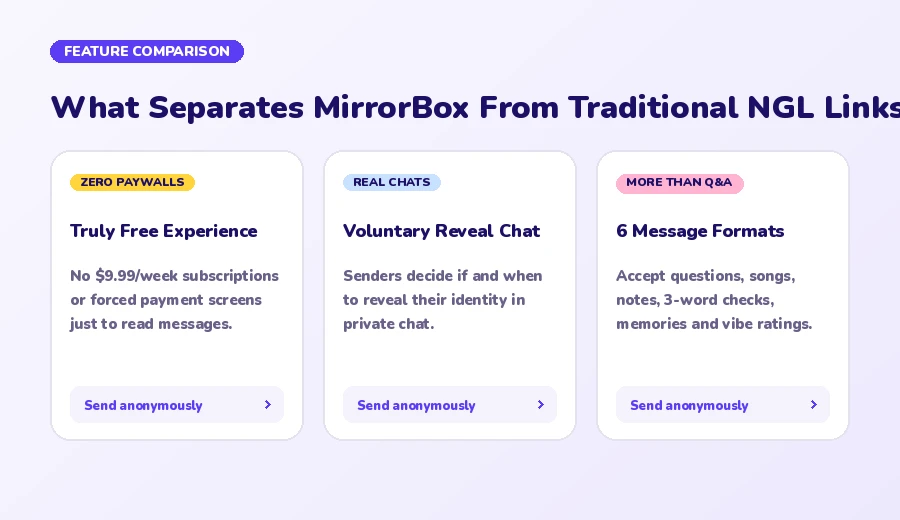
- No weekly paywalls: Free forever with no $9.99/week subscriptions just to read notes.
- Built-in AI safety filters: Automatically screens hate speech, harassment, and inappropriate content before it ever touches your inbox.
How to Put an Anonymous Link on TikTok (Step-by-Step)#
Setting up your link takes less than two minutes. Follow these steps:
Step 1: Claim your personal MirrorBox handle#
- Go to MirrorBox.me on your phone or desktop.
- Sign up and pick your custom username (e.g.,
mirrorbox.me/alex). Matching your TikTok handle makes it instantly recognizable to your followers. - Choose the message types you want to accept: anonymous notes, questions, Spotify music recommendations, or vibe ratings.
Step 2: Copy your link#
From your MirrorBox dashboard, tap Copy Link. Your URL will look like:
mirrorbox.me/yournameStep 3: Add it to your TikTok profile#
- Open the TikTok app and tap your Profile tab in the bottom right corner.
- Tap Edit profile.
- Scroll down to the Website field.
- Paste your
mirrorbox.me/yournamelink and tap Save.
Your link will now appear as a clickable, highlighted URL directly below your TikTok bio.
How to Put an Anonymous Link on TikTok Under 1,000 Followers#
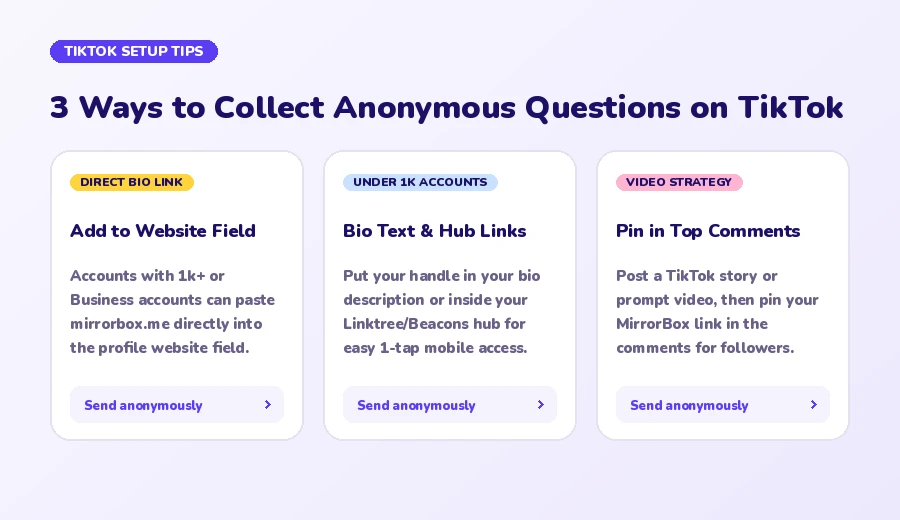
By default, TikTok requires personal accounts to have at least 1,000 followers before the clickable Website field unlocks. If you haven't reached 1k followers yet, you have two proven workarounds:
Method A: Switch to a Free TikTok Business Account (Unlocks Link in Most Regions)#
TikTok allows any user to switch to a Business Account at any time for free. In many countries, switching immediately unlocks the website link field regardless of follower count:
- In TikTok, go to your Profile and tap the three lines menu (☰) in the top right.
- Select Settings and Privacy → Account.
- Tap Switch to Business Account and follow the prompts (you can choose "Personal Blog" or "Entertainment" as your category).
- Return to your profile, tap Edit profile, and check if the Website field is available.
WARNING
Business accounts have access to a commercial music library rather than every copyrighted trending sound. If you heavily rely on trending pop audios for regular videos, use Method B instead.
Method B: Add Short Link to Bio Description + Link Hub#
If you prefer keeping a Personal account under 1k followers:
- Tap Edit profile and locate the Bio text box.
- Type an eye-catching call-to-action:
📬 Drop an anonymous note or song: mirrorbox.me/yourname
- Alternatively, if you already use a link-in-bio tool like Linktree or Beacons, add your MirrorBox link as the top highlighted button on your page.
4 Viral Video Strategies to Get Hundreds of Anonymous Messages#
Having a link in your bio is only half the battle. To get an influx of questions and confessions, you need to prompt your audience with engaging video concepts:
┌────────────────────────────────────────────────────────┐
│              VIRAL TIKTOK PROMPT FORMULAS              │
├────────────────────────────────────────────────────────┤
│ 1. The Unfiltered Truth                                │
│    "Drop something in my bio link you'd never say out │
│     loud. Doing video replies to the wildest ones."    │
├────────────────────────────────────────────────────────┤
│ 2. Song & Vibe Check                                   │
│    "Send me a song that reminds you of me in my bio    │
│     link. Rating them on aux tomorrow."                │
├────────────────────────────────────────────────────────┤
│ 3. Secret Admirer / Crush Check                        │
│    "Be honest in my bio link: did we ever almost have  │
│     a thing? I won't know who sent it."                │
├────────────────────────────────────────────────────────┤
│ 4. Hot Takes & Unpopular Opinions                      │
│    "Drop your spiciest hot take about me or school     │
│     in my bio link. Green-screening the best ones."    │
└────────────────────────────────────────────────────────┘
1. The Green Screen Video Reply#
When an intriguing or funny note lands in your MirrorBox inbox:
- Open the message in your inbox and screenshot the prompt card.
- Open TikTok, select the + button to record, and choose the Green Screen effect.
- Select your screenshot as the background image.
- Record your unfiltered reaction and reply. Video replies to anonymous notes consistently perform well because viewers love seeing creators react to real, unscripted peer questions.
2. Pin the Prompt in Your Comments#
Whenever you post a video referencing your anonymous link, leave a comment immediately after publishing:
"Answering all anonymous questions and song recommendations from my bio link tonight! Link in bio ✨"
Tap and hold your comment, then tap Pin comment so every viewer sees the instructions first.
3. Share Across Your TikTok Story#
TikTok Stories appear in your followers' feeds with a blue ring around your avatar:
- Take a quick photo or aesthetic video.
- Add text: "Ask me anything anonymously or send me music — link in bio!"
- Use stickers or arrows pointing toward your profile icon.
4. Cross-Promote to Instagram Stories#
If you also use Instagram, you can double your replies by posting your MirrorBox link as an Instagram Story sticker. Check our complete walkthrough on How to Get Anonymous Messages on Instagram for step-by-step story sticker instructions.
Is Receiving Anonymous Messages on TikTok Safe?#
Whenever anonymous links trend on TikTok, questions about safety, cyberbullying, and privacy naturally arise. Because traditional apps let toxic comments slip through, MirrorBox was built with proactive safeguards:
- Automated AI Profanity & Toxicity Filtering: Every incoming submission is evaluated by an automated moderation engine before reaching your inbox. Explicit harassment, hate speech, and spam are quarantined automatically.
- Custom Muted Words: In your MirrorBox settings, you can add custom trigger words, specific names, or topics that you never want to see in your inbox.
- One-Tap Senders Blocking: If someone abuses anonymity, you can block their device with one tap. They will receive a silent confirmation without knowing their notes have been filtered out.
- Voluntary Reveal Chats: Wondering who sent a sweet note or confession? Rather than charging $9.99/week for fake geographical hints like competitor apps do (see our Can You See Who Sent Anonymous Messages? breakdown), MirrorBox features an opt-in Reveal Chat. You can start an anonymous private chat with the sender, and they can choose to reveal their identity whenever they feel comfortable.
Frequently Asked Questions#
Can TikTok ban you for having an anonymous link in your bio?#
No. TikTok allows standard web links in bios as long as the destination complies with TikTok Community Guidelines. MirrorBox links are secure HTTPS web pages with automated content filtering that meet all mobile browser safety protocols.
Why won't TikTok let me click the link in someone's bio?#
If a link isn't clickable, the creator likely pasted their link in the Bio text area rather than the dedicated Website field. Only URLs placed in the official Website field render as clickable hyperlinks.
Can I share my anonymous TikTok link on other platforms?#
Yes. Your mirrorbox.me/yourname link works everywhere: in your Instagram bio and story stickers, Snapchat stories, Discord status, Twitter/X bio, and Beacons or Linktree hubs.
Get Your Free Anonymous Link Today#
Ready to start collecting anonymous notes, confessions, and song recommendations from your TikTok community?
- Claim your unique handle at MirrorBox.me/register.
- Paste it into your TikTok bio.
- Post your first prompt video and see what your followers really think.
The MirrorBox team
Social Media & Growth EditorialWritten and verified by the MirrorBox team to provide honest, practical guidance on bio links, social sharing, and online privacy.
Enjoyed this post?
Leave a like and share it with a friend.